
How EQHO Player works
Prepare the running order before training, choose your session controls and let EQHO handle the music while you coach.
eqho-player.com/app
- 1
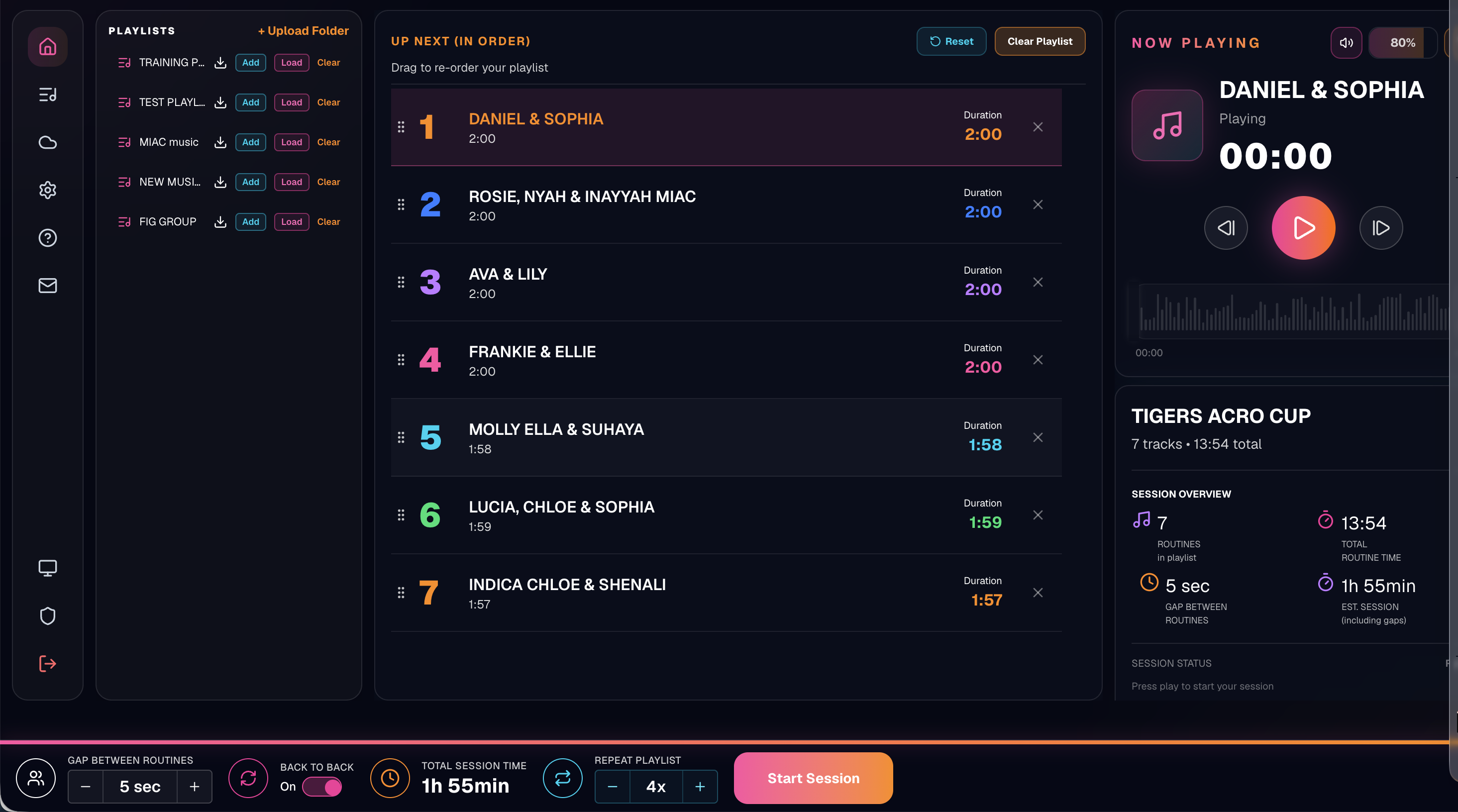
Create your playlists
Upload your routine music and organise it into the playlists you need.
- 2
Arrange the running order
Place routines in the order you want to run them.
- 3
Set the session controls
Choose the gap, set repeats and turn on back-to-back playback when needed.
- 4
Press play and coach
EQHO follows the running order while showing the current and next routine.
- 5
Push sessions to EQHO Cloud
When you choose to push a playlist, its audio and session information are saved to your EQHO account.
- 6
Prepare your other devices
Log in on each supported device and load or download the pushed playlists you need.
- 7
Check before training
Downloaded playlists can be used offline. Check them before travelling.
Ready to set up your first session?
Explore the player or create your account and build a session in around 30 seconds.
No card required.